Create Your Account

The first step in using Early Ed Connect is to create an account. You need to create an account to apply for child care assistance (CCDF) or On My Way Pre-K.

Use These Directions to Create Your Account
To create an account, follow the steps below.
1. Go to EarlyEdConnect.FSSA.in.gov in any web browser.
2. Click on the green Create My Account button in the middle of the page.
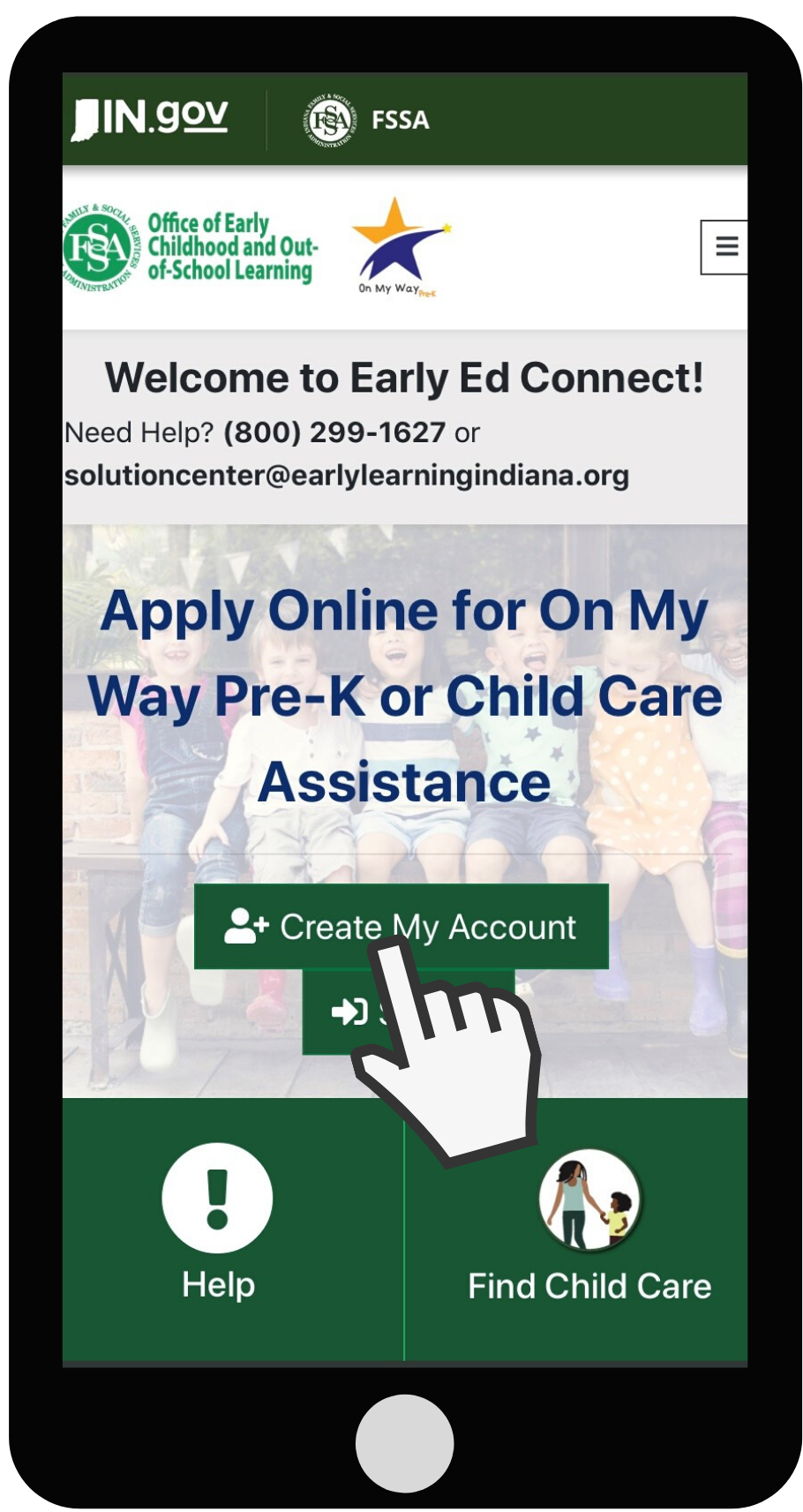
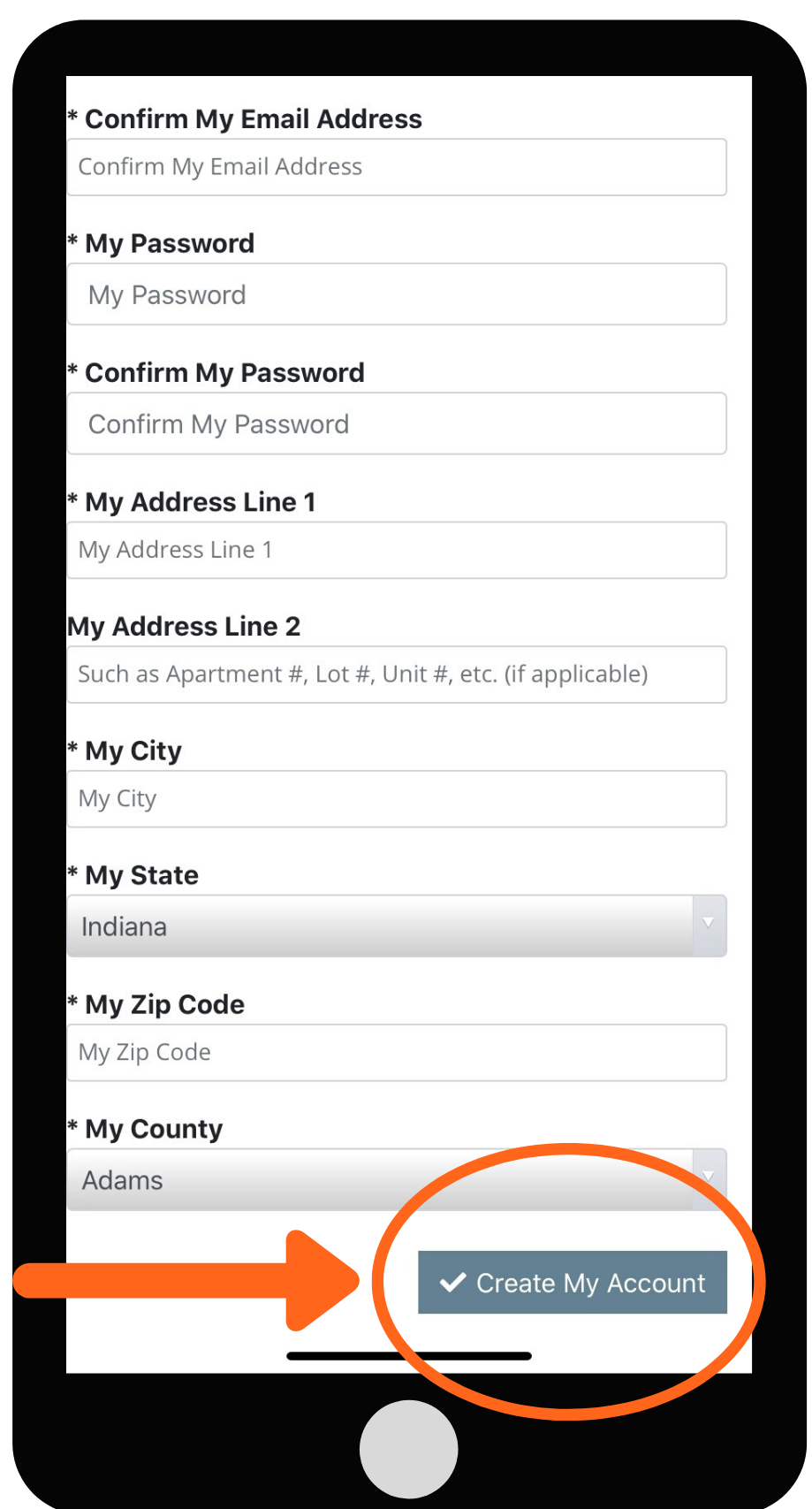
3. Enter your first and last name. Enter your email address and confirm your email address.
4. Create a password and confirm your password. Scroll down to see the password guide.
5. Enter your address, city, state, ZIP code and county.
6. Click the green Create My Account button at the bottom of the page.
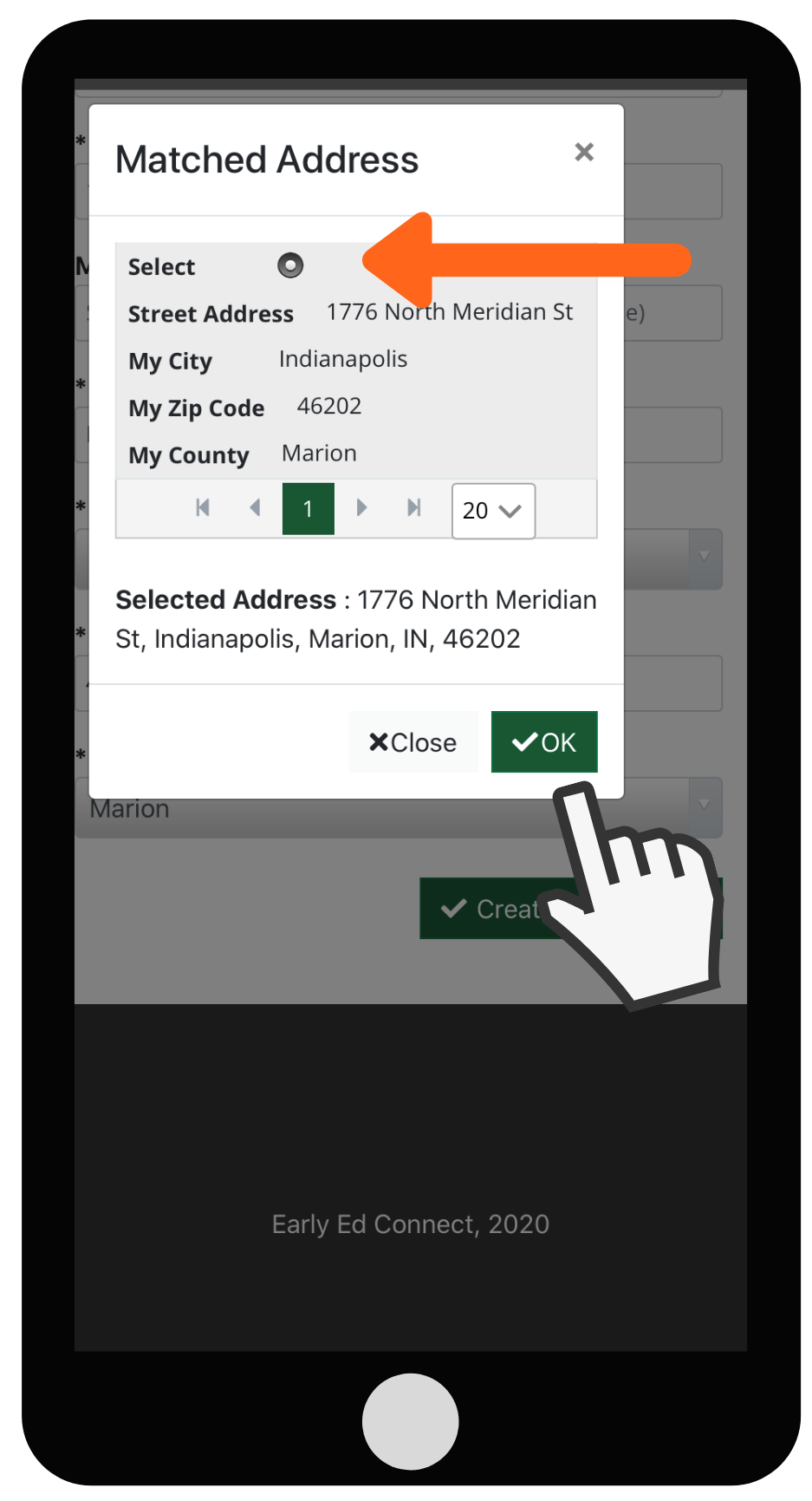
7. Select your correct address from the choices and click OK.
8. Click the green Create Your Account You will receive an email from NoReply_EEC@fssa.in.gov. In the email, you will see a link to activate your account. Click the link. This link is only good for 24 hours.
Passwords Must:
Have eight or more characters
Use at least two of the types of characters below:
- Numbers (0-9)
- Capital letters (A-Z)
- Special characters, such as, @#$%^&*()-_+{[=\|/:;}]<>
If you forgot your email address or need further help with your account, please contact Indiana 211 at 1-800-299-1627.