Upload Documents in Early Ed Connect

To complete your application, your local eligibility office will need documents from you. You do not have to provide these before submitting your online application, but you can do so anytime by clicking the green Upload New Documents button. Uploading documents to Early Ed Connect is easy, safe and secure.

Documents You Will Need to Upload
You may be asked to prove your identity, your child’s identity, your income, your address, and your employment or training status.
How to Upload Your Documents
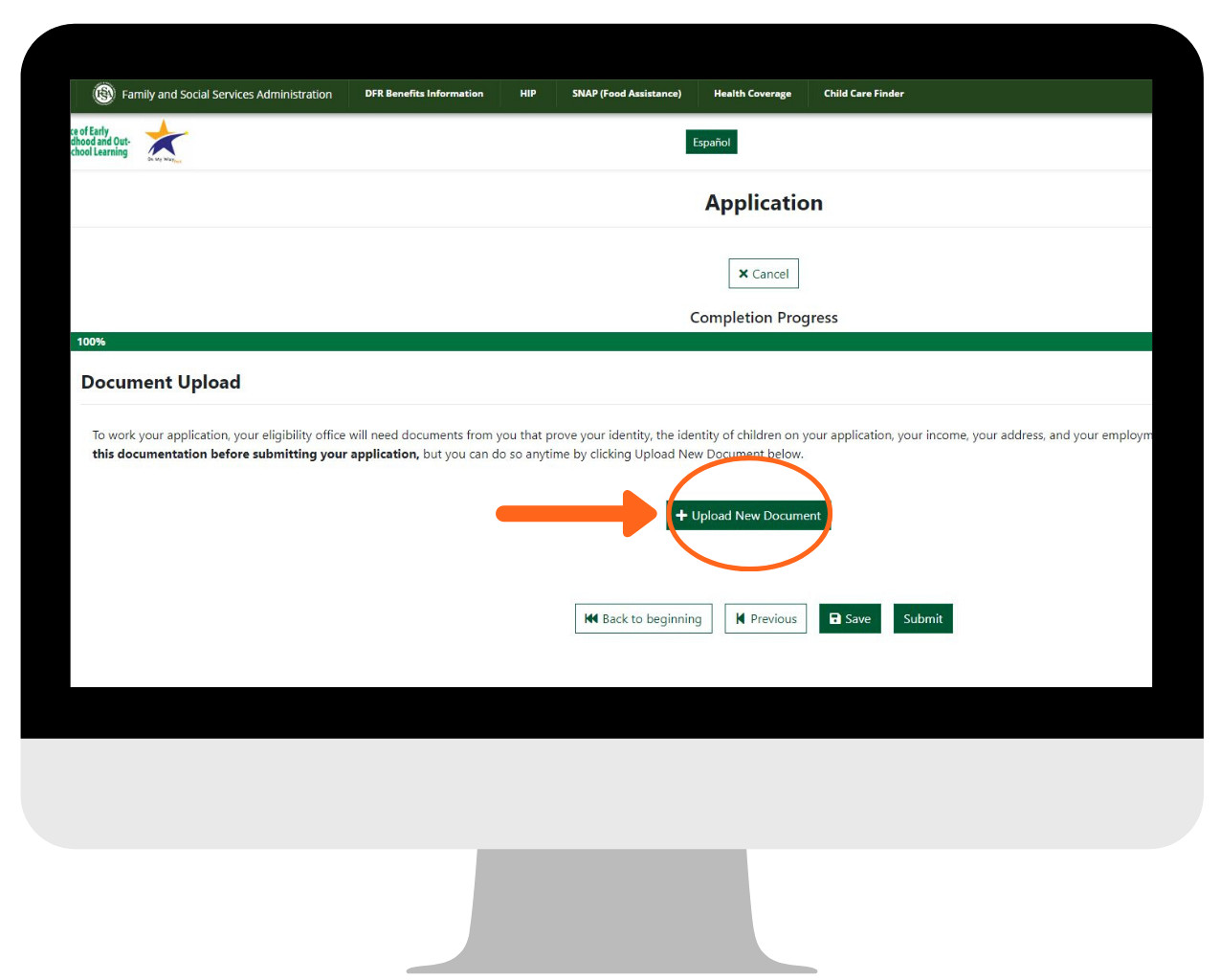
1. Log into EarlyEdConnect.FSSA.in.gov. Then, click Next at the bottom of the screen until you get to the Document Upload page on your application. Then, click the green Upload New Document button.
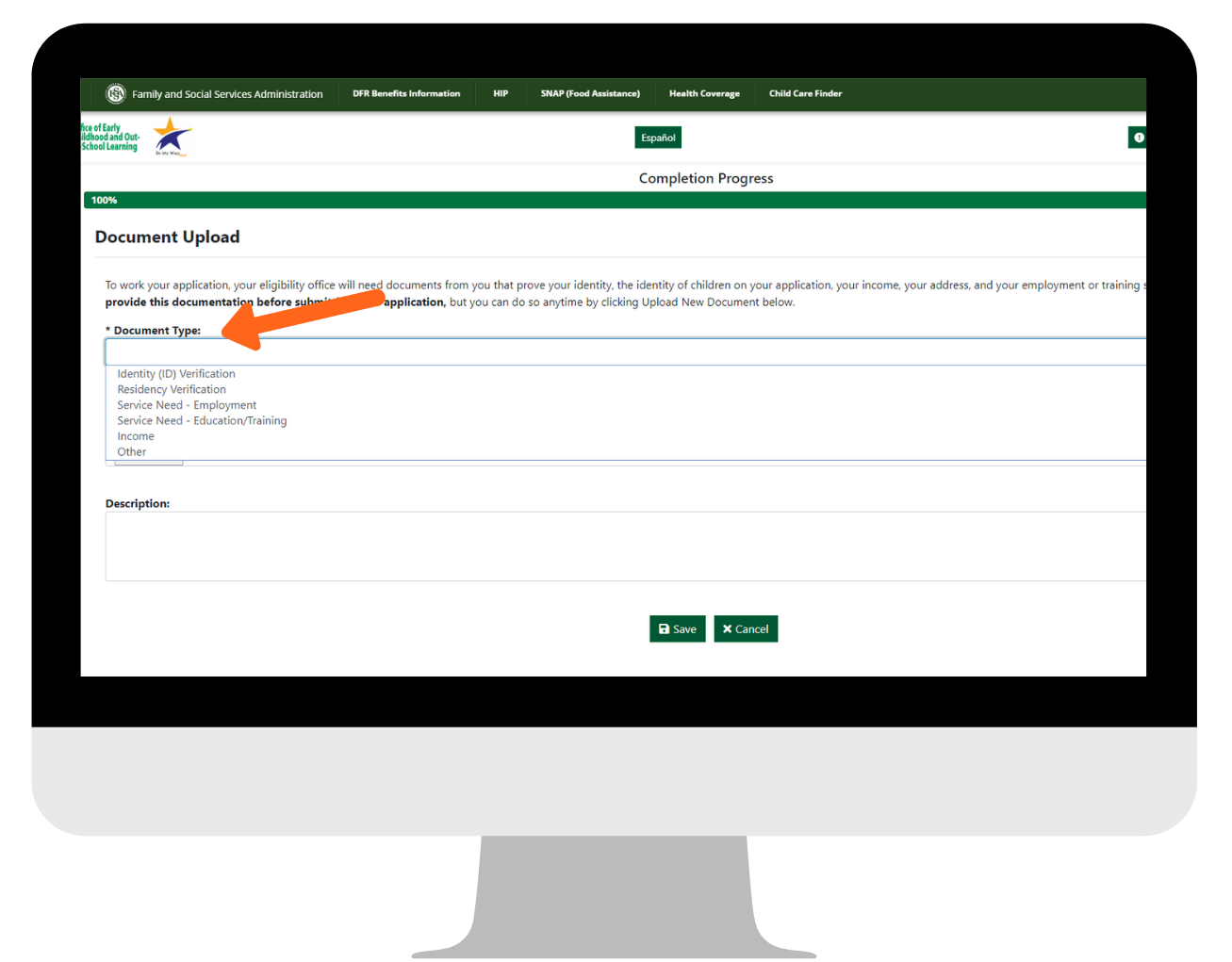
2. Choose document type and select who the document is for.
3. Click Choose File and upload your document. Add a description (optional).
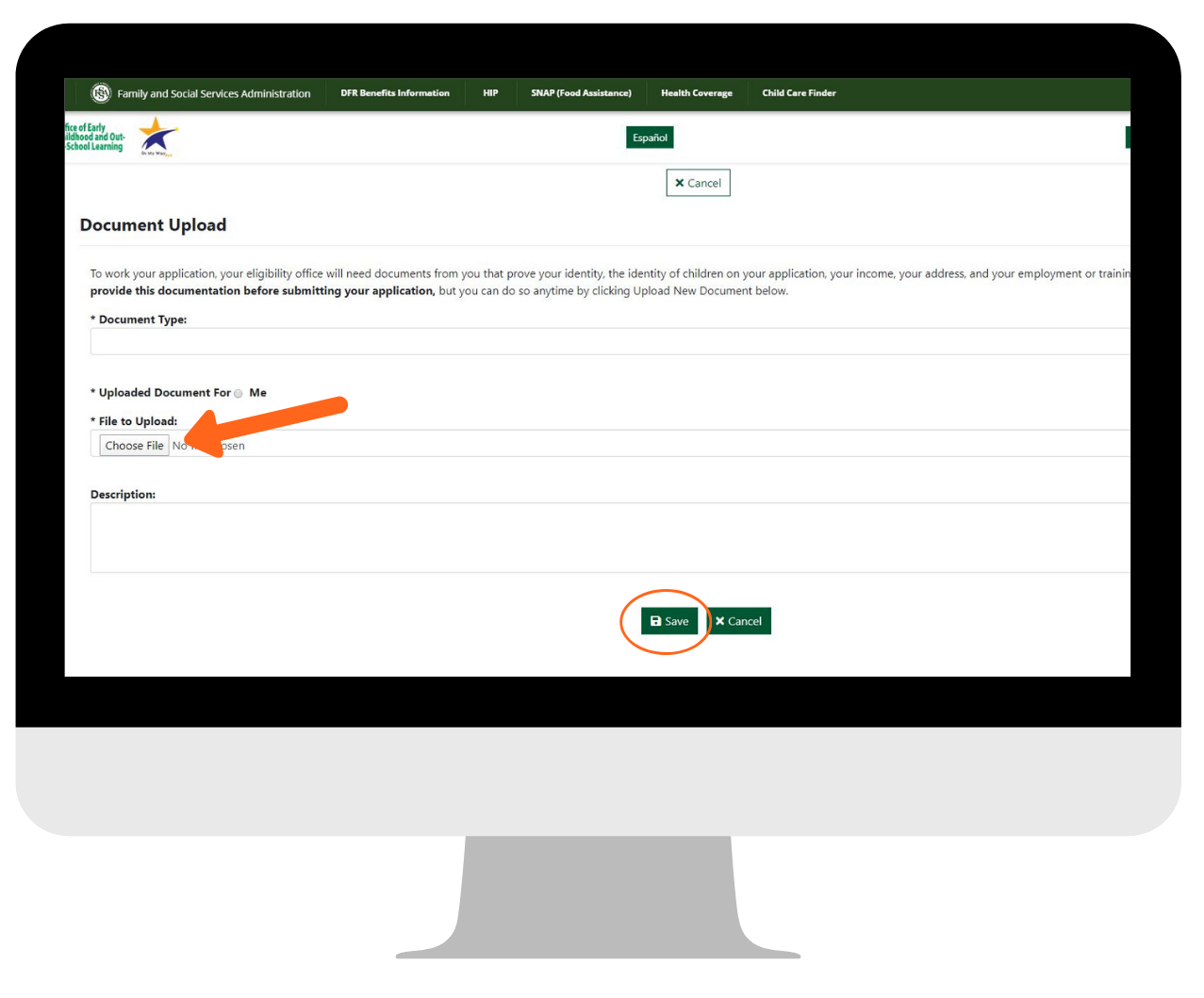
4. Click Save.
5. Follow these steps again to upload your other documents.
Contact Your Local Eligibility Office
If you have any questions about documents or checking the status of your application, contact your local eligibility office.
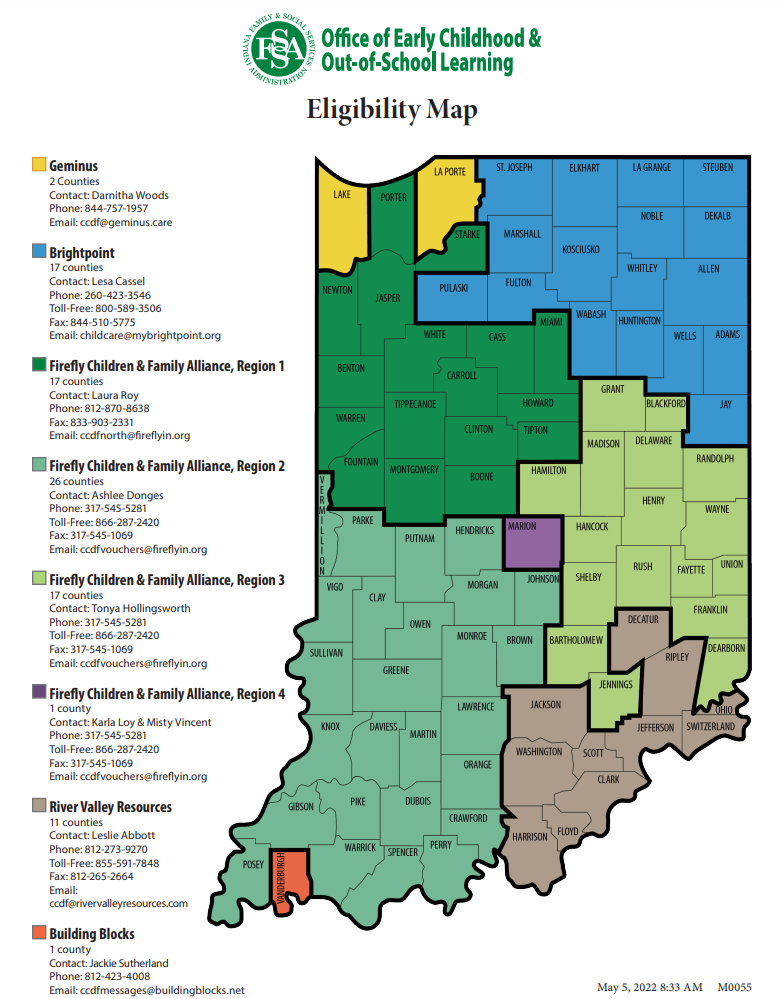
Local Eligibility Office Locations:
Click here to find your local eligibility office.