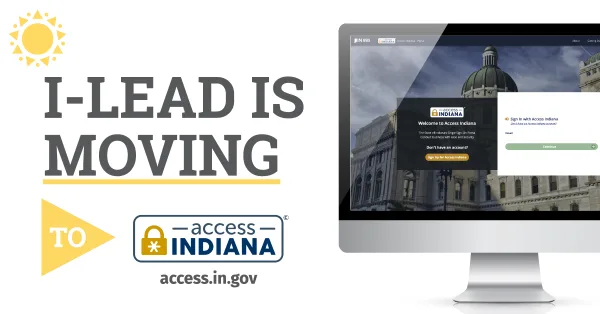
How to Create an Access Indiana Account
Follow these steps to create an Access Indiana account.
Once you create your account, go to Services to access the “I-LEAD Family and Social Services” tile or go to ilead.in.gov to access and manage your account.

For more information about signing up, go to in.gov/access/getting-started/.
Then go to ilead.in.gov and click “Don’t have an Access Indiana Account?” to sign up today!
For additional assistance setting up your Access Indiana account, click the Support button on this page or call 1.800.299.1627.
FAQs
-
What is Access Indiana?
Access Indiana is the state of Indiana’s single sign-on portal. You can use one username and one password to easily and securely access multiple state services.
-
I don't know if I have an I-LEAD account.
If you are an educator, your program leader can check the I-LEAD roster to see if you have an account. Otherwise, you can contact 1.800.299.1627 for more information.
-
I don’t know if I have an Access Indiana account.
Create an Access Indiana account using the email address you use for I-LEAD.
-
What email address do I need to use to create my Access Indiana account?
Use the email address you intend to log in with for licensing applications, consent forms and trainings. Each person will have an account and email address that is exclusive to them. If you had an I-LEAD account previously, you can use the same email address as before. If not, you can create an email for free online or ask your provider admin for your work email address.
Email addresses should be a individualized rather than general email addresses set up for the child care (ex: janedoe@gmail.com or janedoe@childcare123.com instead of childcarefacilityname@gmail.com). This keeps personal training and records separate from intake emails designed exclusively for the child care business and makes it easy to merge records if your email access ever changes.
-
What if I don't have access to the email address that I use for I-LEAD?
Most email providers have a feature to recover your email address. If your email address is one you cannot recover or that you no longer have access to, you can create a new email address. Then create a new Access Indiana/I-LEAD account and merge your previous consent and training records. If you can log in to your Access Indiana account but not your email, you can also update your email address on the Access Indiana dashboard using the Profile option. If you need additional assistance or experience an error logging in, call 1.800.299.1627 for guidance.
-
My password doesn't work.
If you do not remember your I-LEAD password, you can easily reset it. You can also reset your Access Indiana password if needed.
-
Can I help my staff find their I-LEAD logins?
Yes! If you are a provider admin within your program, you can view your staff roster. Under Registered Users, click VIEW DETAILS next to an individual's name to view that person's I-LEAD email address.
-
Can I share an Access Indiana login?
No, each person must have their own Access Indiana account.
-
What if I have more than one I-LEAD account?
Educators with more than one account can merge their accounts together following these steps.
-
What is two-step verification?
Two-step verification adds an extra layer of security to your account. With two-step verification, whenever you sign in, you will need to enter both your password and a verification code. This verification code can be sent to your phone via a text message or phone call, or it can be sent to your email address.
-
I logged into I-LEAD, and my dashboard no longer contains my provider or educator information. What happened?
No, each person should have their own Access Indiana account.